

reMarkable vs Boox vs Kindle Scribe: Which One Actually Replaces the Note Vault You Abandoned?
An honest, spec-and-review-based comparison of reMarkable, Boox, and Kindle Scribe for anyone who quit Obsidian or Notion and wants notes that actually get out.

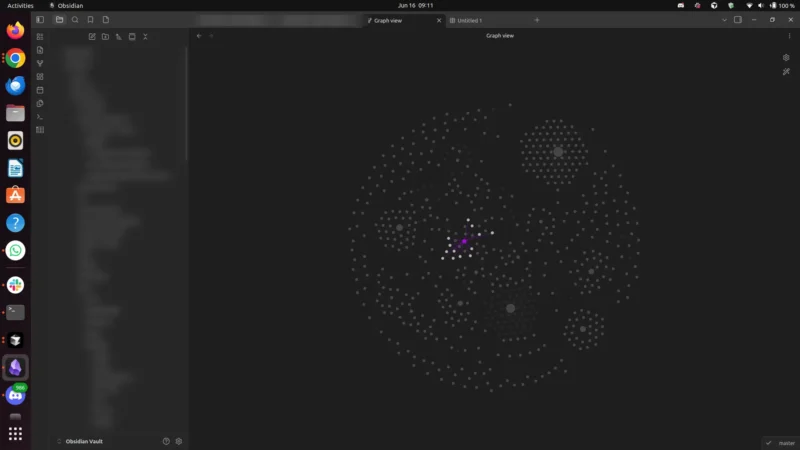
If you’re reading this, there’s a decent chance you already tried the software version of a “second brain” — Obsidian, Notion, Roam, a graph of 2,000 orphaned notes — and quietly stopped opening it. I wrote about why that happens in the post about the second brain being its own executioner: the system became a second job, capture got frictionless but retrieval never paid off, and eventually the vault turned into a guilt museum.
So now you’re eyeing an e-ink tablet. The pitch is seductive: write by hand like you mean it, no notifications, no infinite-scroll temptation, and — supposedly — your notes still end up searchable and synced somewhere useful. The three names that keep coming up are reMarkable, Boox, and the Kindle Scribe.
Here’s the honest question this post answers: which of these actually replaces the note vault you abandoned — versus which one just gives you a prettier place to lose notes again?
Up front: what I tested, and what I didn’t
I want to be straight with you, because the internet is full of “I used all three for 30 days” posts that are mostly affiliate fan-fiction.
I have not run a controlled, side-by-side, 30-day hands-on test of all three of these devices. This comparison is built from published manufacturer specs and cited public reviews, current as of mid-2026, and from my own opinionated lens as someone who builds a one-person business and has burned out on at least three note systems. Where a spec comes from a third-party review rather than a maker’s spec sheet, I say so. And I’m deliberately not quoting exact prices: they change constantly, vary by retailer and region, and I’d rather you click through to the live listing than trust a number that’s stale the week after I publish. So I talk in price tiers and link you straight to current pricing. (A past Bright Curios draft got killed for a fabricated stat. Never again.)
If you want raw battery logs and ink-feel impressions from months of daily use, go read the long-form reviewers I link below. What I can give you is the decision framework — which device fits which kind of brain.
The only dimension that matters: do the notes get OUT?
A second brain isn’t about capture. Capture is easy; every one of these devices nails the “writing feels like paper” part. A second brain lives or dies on retrieval and export — can you find a thing six months later, and can you get it off the slab and into the rest of your life?
So I’m grading mostly on:
- Handwriting → searchable text (OCR). Can it turn your scrawl into text you can grep?
- Getting notes OUT. Export formats, cloud sync, app ecosystem, friction.
- Open vs walled. Can you run your own apps (Obsidian, Readwise, a real browser) or are you in a garden?
- Reading vs writing balance. Some of these are e-readers that take notes; some are notebooks that read books.
- Friction and price. The vault you abandoned died of friction. Don’t buy more of it.
The comparison table
| reMarkable (Paper Pro / Pure) | Boox Note Air4 C | Kindle Scribe | |
|---|---|---|---|
| OS / openness | Closed, purpose-built Linux. No app store. | Open Android 13 + Google Play — install Obsidian, Kindle, Notion, a browser. | Closed Kindle OS. No app store. |
| Display | 11.8″ color (Paper Pro) / B&W (Paper Pure) e-ink | 10.3″ Kaleido 3 color e-ink | 11″ B&W e-ink, front light (a color “Colorsoft” variant also exists) |
| Handwriting → text | Built-in conversion; cloud “Connect” tier unlocks more frequent runs | Built-in OCR + any Android OCR/note app you install | “Convert to text,” export as text / searchable PDF; AI search & summaries |
| Get notes OUT | Email, share-as-link, sync to reMarkable apps; tighter ecosystem | Google Drive, Dropbox, OneDrive, Onyx cloud, BOOXDrop | Sync to your cloud (incl. Google Drive / OneDrive), email, send searchable PDF; lives in Amazon’s world |
| Reading | Decent PDFs; not a bookstore | Reads everything (it’s Android — Kindle, Kobo, PDFs, comics) | Best-in-class for Kindle books + PDFs |
| Distraction risk | Lowest — nothing else to do | Highest — it’s a full tablet | Low — but Amazon store is right there |
| Price tier | Paper Pro is the most expensive here (color flagship); Paper Pure is the budget reMarkable | Roughly the mid-to-upper tier | The standard Scribe is mid-tier; the no-front-light version is the budget pick |
| On Amazon (affiliate)? | No — buy direct from maker | Yes | Yes |
Prices move constantly and vary by retailer and region, so this table grades on tier, not dollar figures. Check the live listing before you buy — the section links below go straight there.
reMarkable: the monk’s choice (and the most “anti-vault”)
The current reMarkable lineup is three devices: the black-and-white Paper Pure, the portable Paper Pro Move, and the flagship color Paper Pro. The whole point of reMarkable is subtraction. There is no app store, no browser, no email client begging for attention. It is, deliberately, the device that does the least.
For the abandoned-vault crowd, that’s the strongest argument and the biggest catch.
The argument: if your old system died because the tool became a place to fidget, reMarkable removes the fidget. Handwriting conversion is built in, and notes sync to the reMarkable desktop/mobile apps and can be emailed or shared as a link. By most accounts the on-device handwriting recognition is genuinely strong on neat printing — but, as with every device here, accuracy drops on cursive and non-Latin scripts, so how well it works depends a lot on your handwriting. I’m deliberately not quoting an accuracy percentage: the figures floating around are single-reviewer results, not a guaranteed spec.
The catch: it’s a walled garden, and the wall has a turnstile. The Connect subscription is what unlocks the heavier integrations and unlimited cloud storage; the free tier still does basic handwriting-to-text but throttles it to only a few conversions per week. Connect is a low monthly fee (reMarkable nudged the price up in early 2026 — confirm the current rate on their site), but it’s a recurring fee on top of the hardware, and you should price that in. Your notes get out — but on reMarkable’s terms, into reMarkable’s apps first. If your dream is “handwriting flows straight into my Obsidian vault,” reMarkable makes you go the long way around.
Who it replaces a vault for: the person whose problem was too many options. If you want a notebook that refuses to be anything else, this is it.
Buying note: reMarkable is not sold through Amazon Associates, so there’s no affiliate angle here and I’m not going to fake one. Buy it directly from remarkable.com and confirm current pricing there.
Boox Note Air4 C: the one that’s actually open
Here’s where it gets interesting for anyone who lived in Obsidian or Notion.
Affiliate disclosure: The Boox and Kindle Scribe links below are Amazon affiliate links. If you buy through them, Bright Curios may earn a small commission at no extra cost to you. reMarkable links are not affiliate links. I only point at gear I’d actually consider.
The Boox Note Air4 C is a 10.3″ color (Kaleido 3) e-ink tablet running full Android 13. That one fact changes everything: you can install the real Obsidian app, the real Notion app, Readwise, a browser, even the Kindle app. It is the only one of the three that can run the actual vault you abandoned — on e-ink.
On export and sync, Boox is the most flexible by a distance: it syncs notes and annotations to Google Drive, Dropbox, OneDrive, or Onyx’s own cloud, and BOOXDrop moves files between the tablet and your computer over Wi-Fi. It has built-in handwriting-to-text, and because it’s Android, you can layer on any OCR or sync app you trust. XDA’s review frames it well: it behaves like an Android tablet fused with an e-reader, with full Google Play access to install Kindle, OneNote, Google Docs and more.
The catch — and it’s the same catch that killed your last vault: openness is friction and temptation. A device that can run anything can run everything. The clean, distraction-free covenant of reMarkable is gone; you have to impose your own discipline. Color Kaleido screens are also lower-resolution and more muted in color than a glossy LCD, and refresh is e-ink-slow. On price it sits in the upper-middle of these three — and it’s the one whose number jumps around most between the official Boox store and Amazon, which is exactly why I’m sending you to the live listing instead of quoting a figure that’ll be wrong by next month.
Lead pick vs. budget pick: I’m recommending the color Note Air4 C as the flagship note-vault Boox — color genuinely helps when you’re marking up PDFs, color-coding, and organizing, which is most of the “second brain” job. But if you don’t need color and want to spend less, the black-and-white Boox Go 10.3 is the budget alternative: same Android openness, sharper mono screen, longer battery, lower price. Same “runs your real tools” superpower, fewer dollars.
Who it replaces a vault for: the person whose problem was export and lock-in. If your grievance is “I never want my notes trapped in someone’s proprietary format again,” Boox is the answer, because it can literally run your existing tools.
Check the current model and price: Boox Note Air4 C on Amazon (or the cheaper B&W Boox Go 10.3).
Kindle Scribe: the reader that takes notes
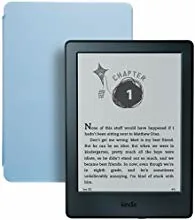
The Kindle Scribe is the device for people who realize the truth most second-brain refugees won’t admit: you mostly want to read, and occasionally annotate. It’s an 11″ B&W Kindle with a pen. Reading is its first language; note-taking is the bonus.
On the export question it’s quietly come a long way. From the Share menu you can convert handwritten notebooks to text and email them, or attach the notebook as a searchable PDF; synced notebooks upload to your cloud over Wi-Fi, and the 2026 model adds Google Drive and OneDrive support. The 2026 refresh is thinner (about 5.4mm) and lighter (~400g) with roughly 40% faster writing and page-turns, a Premium Pen now included in the box, and expanded AI notebook features (search, summary, conversion). There’s even a new color “Colorsoft” Scribe now if you want it. It’s refinement, not revolution. On price the standard Scribe lands mid-tier among these three; the version without a front light is the budget door in, and the color Colorsoft is the splurge.
The catch: it’s a walled garden built around Amazon’s bookstore, not around your knowledge. It’s the weakest of the three as a true second-brain hub — notes-out works, but it’s an e-reader that tolerates notes, not a notes system that happens to read. And the store is one tap away, which is its own kind of distraction.
Who it replaces a vault for: honestly? The person whose “second brain” was 80% highlighting articles and books they never revisited. If your vault was a reading graveyard, the Scribe replaces it by making the reading great and the notes a clean by-product. Pair it with a read-it-later/highlights service and you’ve rebuilt the useful 20% of your vault without the maintenance tax.
Check the current model and price: Kindle Scribe on Amazon.
So which one actually replaces the vault?
There is no universal winner, and anyone who tells you otherwise is selling a link. Match the device to why your old system died:
- Your vault died of distraction and over-tinkering → reMarkable. It can’t tempt you because it can’t do anything else. Buy direct from remarkable.com.
- Your vault died of lock-in and bad export → Boox Note Air4 C (or the cheaper B&W Go 10.3 if you skip color). It’s the only one that runs your actual tools (Obsidian, Notion) on e-ink and syncs anywhere. See it on Amazon.
- Your vault was really just a reading pile you never revisited → Kindle Scribe. It’s the best reader of the three, and “notes-out” is now good enough. See it on Amazon.
The uncomfortable meta-point: none of these will fix the actual problem if the problem was you never had a retrieval habit. A tablet that converts handwriting to searchable text is only a second brain if you ever search it. The device that “replaces” your vault is the one whose friction profile matches your failure mode — not the one with the highest spec sheet.
Pick the smallest device that removes your specific friction. Then, for the love of god, do the one thing none of these can do for you: actually go back and read your old notes.
Affiliate note: Bright Curios participates in the Amazon Associates program (tag brightcurios-20) and may earn a commission on qualifying purchases via the Amazon links above. reMarkable is not sold through that program; its links are not affiliate links. Prices and specs cited here are drawn from manufacturer pages and public reviews as of mid-2026 and should be confirmed on the retailer’s live listing before you buy.
Keep reading

6 Books That Actually Changed How I Run a One-Person Business (2026)
Not a top-20 listicle. Six books I actually read and applied while running a one-person AI business, and the one...

Do Phone Lock Boxes Actually Work for Founder Focus? The Commitment-Device Case
A clear-eyed look at whether phone lock boxes help a one-person founder focus — grounded in commitment-device research, with free...
The ‘Second Brain’ is Over: Why You Need a Second Executioner
Stop hoarding notes and start shipping. Discover why the Second Brain fails and how the Second Executioner model uses Personal...

Building a Personal Holding Structure for 3-5 Small Business Bets
Once you own 2-plus income-producing assets, a personal holding LLC structure gives small operators a treasury layer that reduces self-employment...

Multiple-Expansion Levers: What Moves Your Sale Multiple from 3x to 5x
On a $500K SDE business, the gap between a 3x and 5x multiple is $1M in founder proceeds — and...

Health Coverage Bridge: From Early Retirement to Medicare at 65 for Founders
A complete 10-year healthcare bridge playbook for founders retiring before 65 — covering ACA MAGI management, HSA drawdown strategy, COBRA...
You've reached the end — no more posts to load.
No comments yet — be the first to share your thoughts.